Click through one week at a Mayfair watch shop.
Eighteen screens from Stitchwork itself, running on our demo shop. Follow the morning list, the client who was on the website for weeks, the anniversary quote and the sale it became — and see what your own team would see.
One week at Halliwell & Sterne
A watch shop in Mayfair, running on Stitchwork with its own clients and its own numbers.
Click the ring on each screen, or use the arrow keys.
Who you will follow
- Esme on the shop floor, who looks after Eleanor
- Imogen, who owns the shop
- Eleanor, a collector with a birthday next week
- James, her husband, planning a surprise
- Delphine, weeks on the website, about to walk in
-
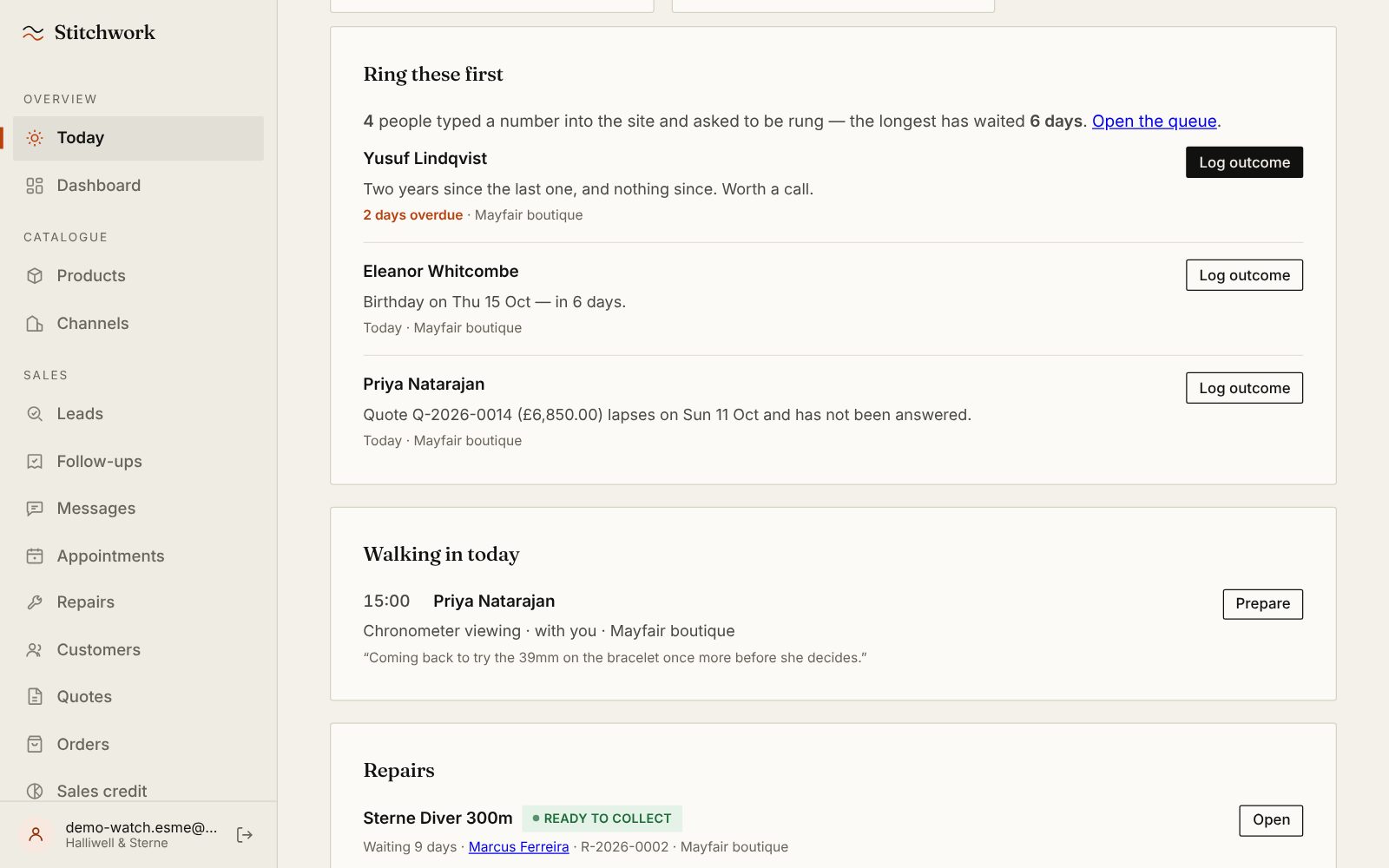
Esme opens Stitchwork at nine.
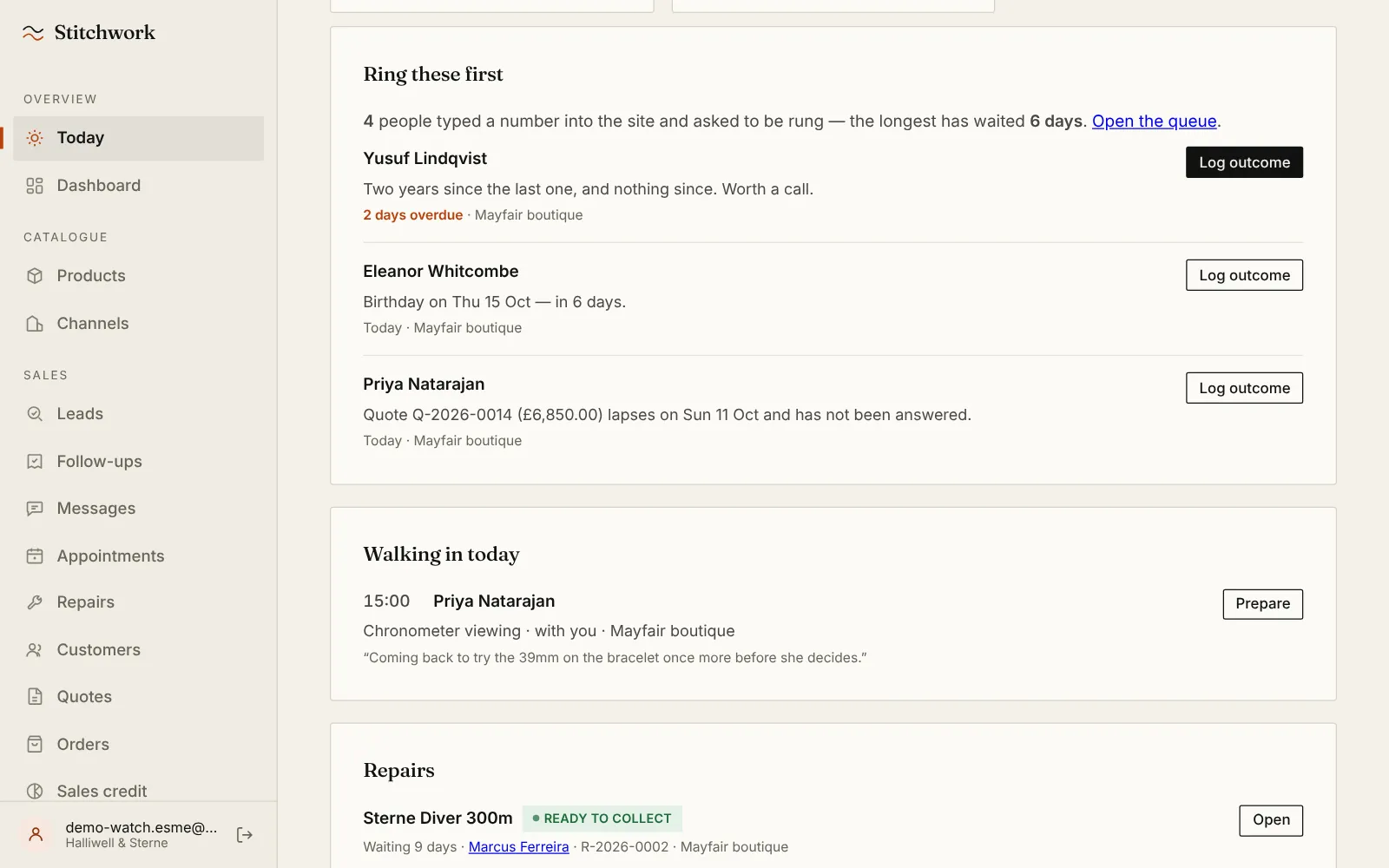
This is her list for the day, and nobody built it for her: a client gone quiet, Eleanor's birthday in six days, a quote about to lapse. Every line says why, and closing one means writing down what happened.
-
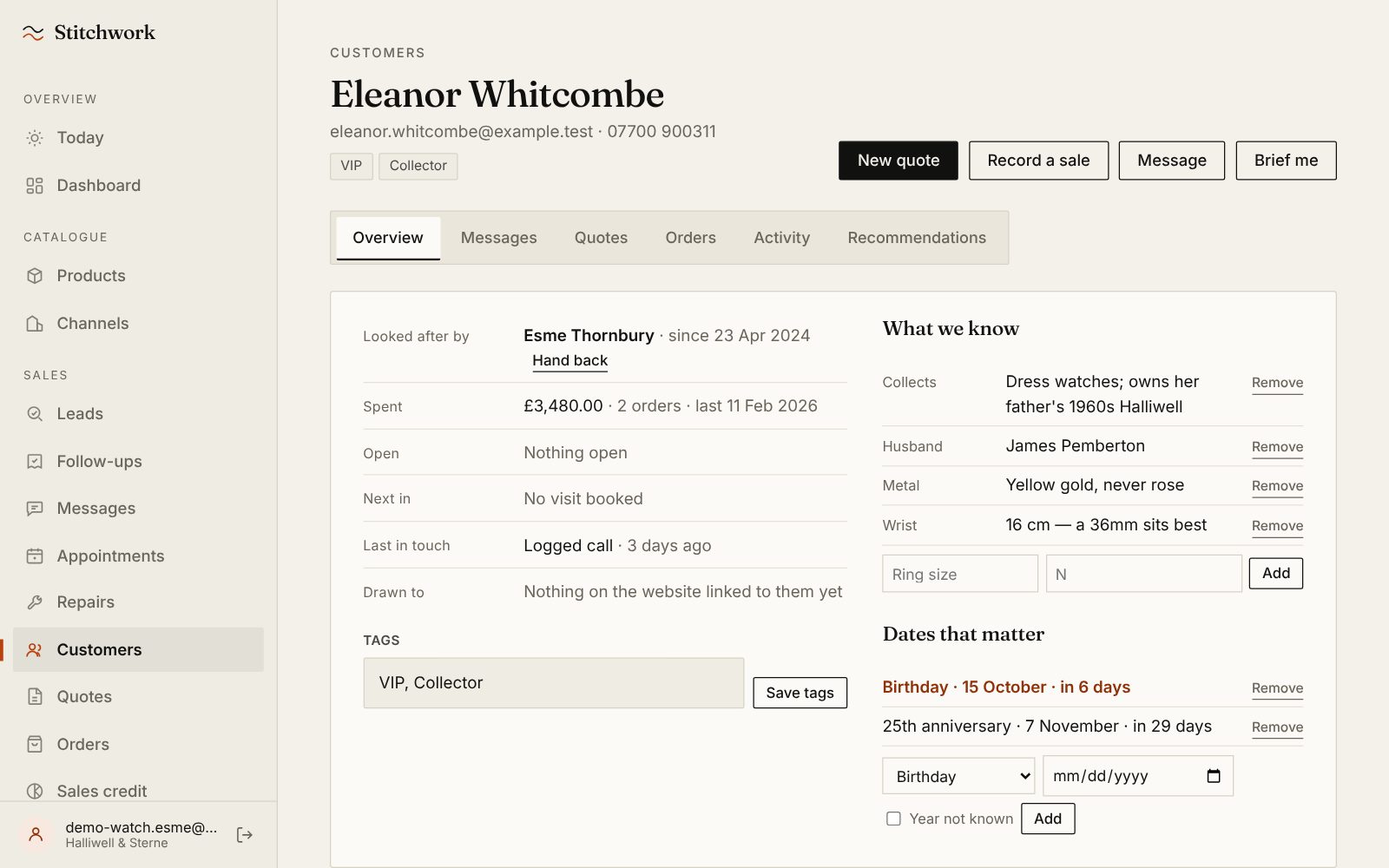
Eleanor's record, in the team's words.
She collects dress watches. Her wrist is 16 cm, so a 36mm sits best. Yellow gold, never rose. Her birthday and their 25th anniversary are on the list in good time. If Esme left tomorrow, none of this would leave with her.
-
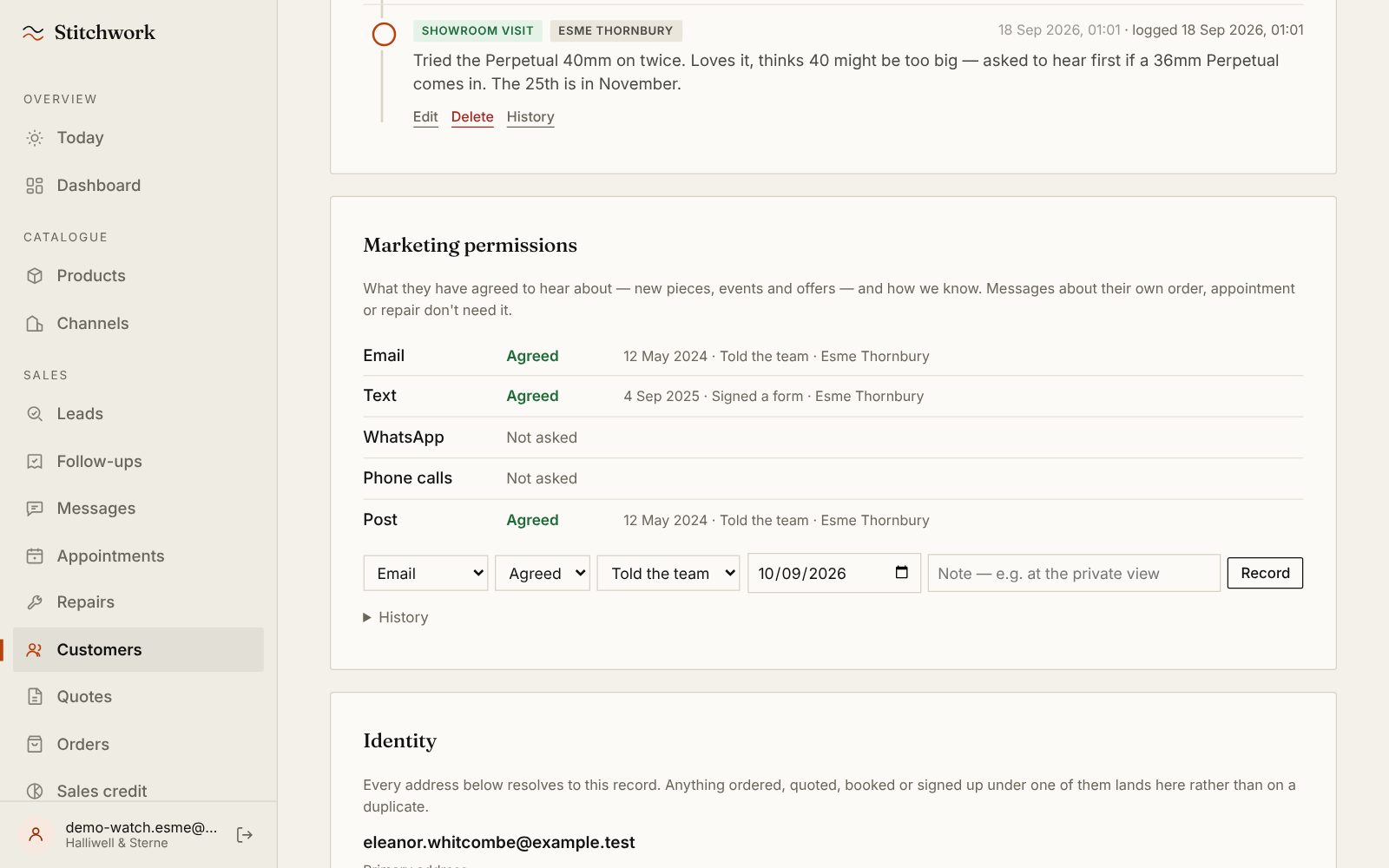
What she has agreed to hear about.
Email, text and post, each with the date, how the shop knows and who recorded it. WhatsApp says “not asked”, so nobody assumes. A thank-you stays a thank-you; offers go only where she said yes.
-
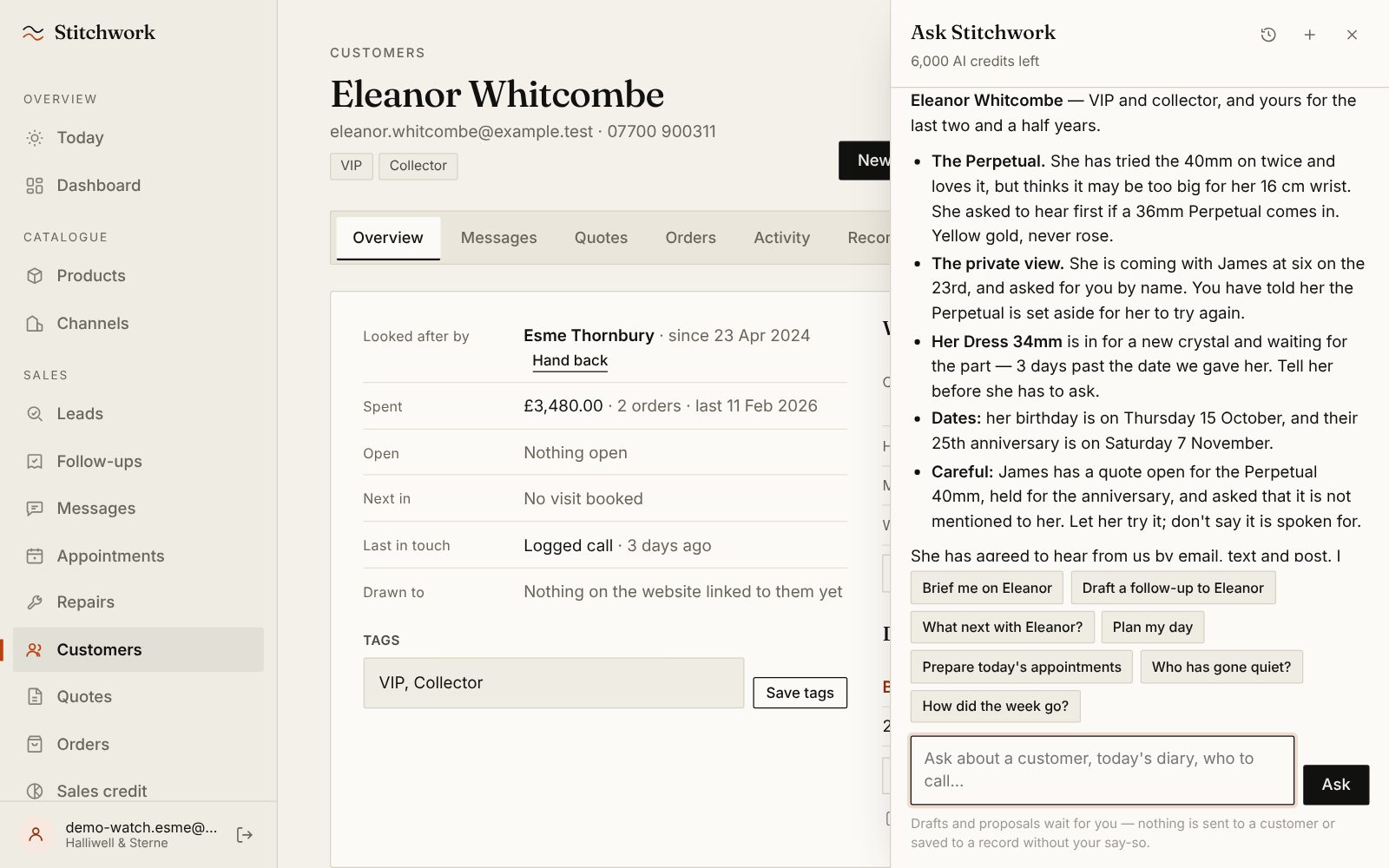
“Brief me on Eleanor.”
Esme is seeing her at the private view, so she asks the assistant. It answers from Eleanor's record in seconds, down to the line a busy associate forgets: James is holding the Perpetual for their anniversary. Let her try it; don't say it is spoken for.
-
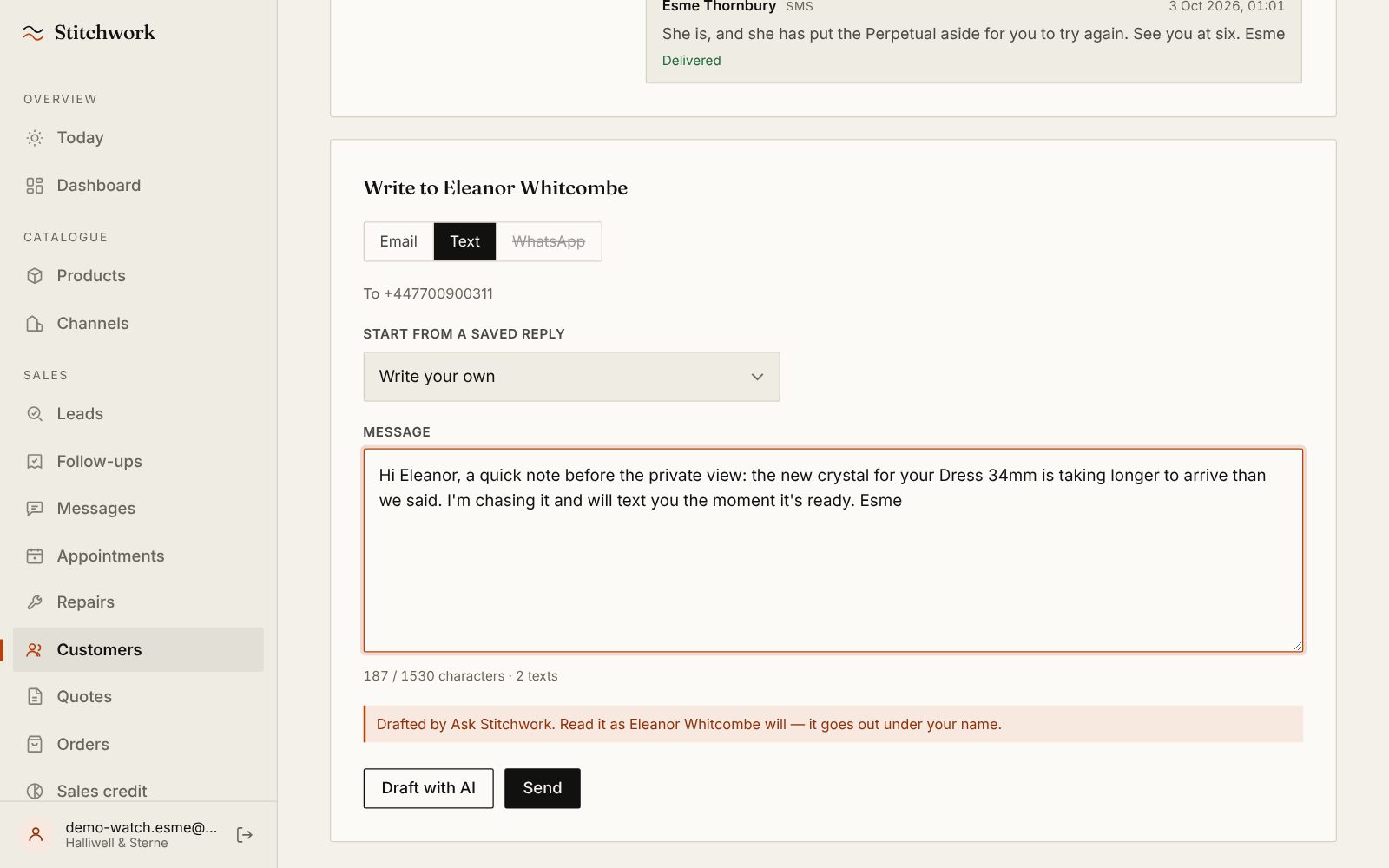
It drafts. Esme decides.
Eleanor's Dress 34mm is three days late in the workshop, so the assistant drafted a text to tell her before she has to ask. It waits in Esme's composer, marked as a draft. Nothing goes until she presses Send, and Eleanor's reply lands back here.
-
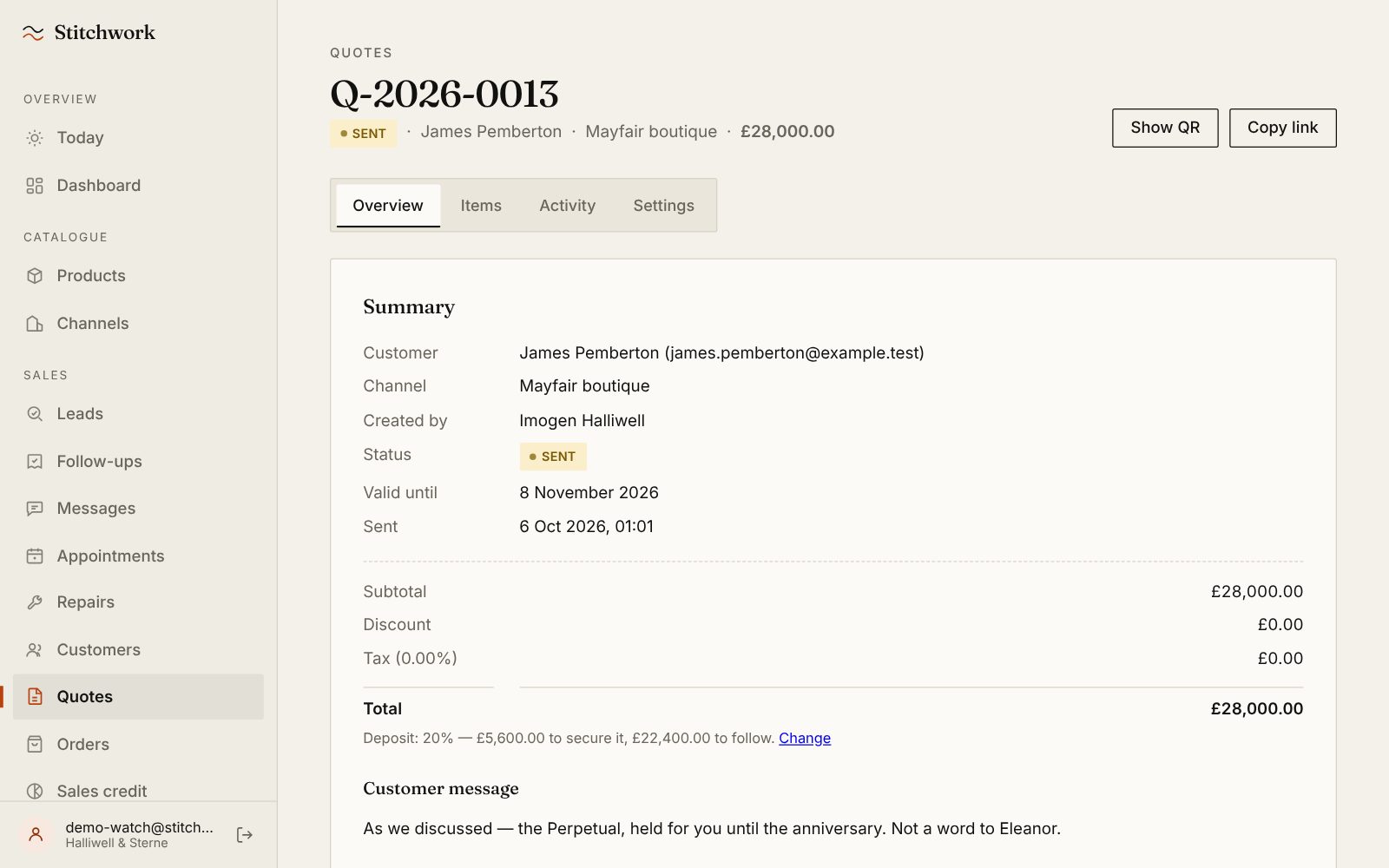
Meanwhile, James rang Imogen.
She built the quote with him: the Perpetual 40mm at £28,000, 20% to secure it and the balance to follow, with a note only he sees. It is the watch Eleanor keeps trying on, which is why the brief said careful.
-
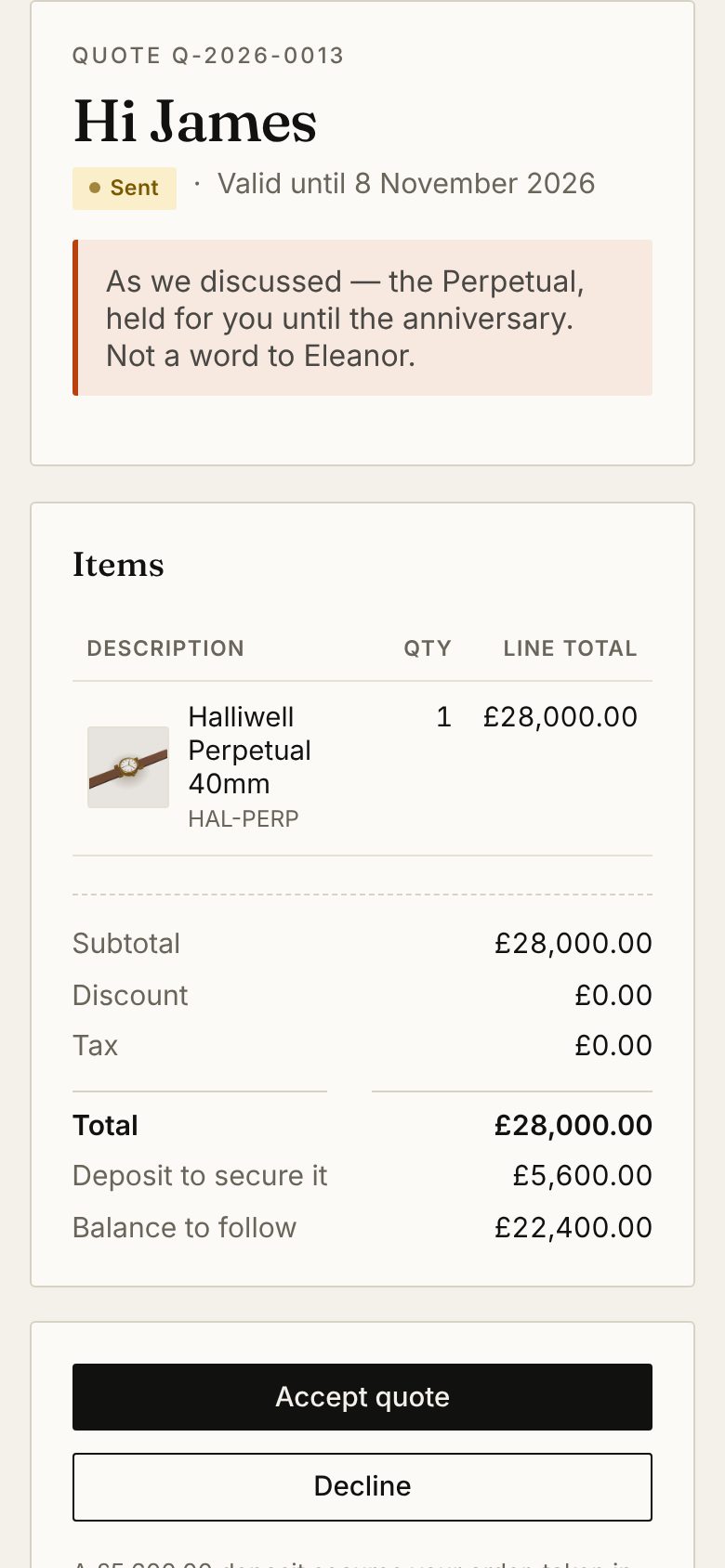
The quote, on James's phone.
A link by text or email: no app, no login. He accepts it there, and with the shop's Stripe connected he pays the deposit from the link or on a card reader at the counter, into the shop's own account. Imogen is told the moment he does.
-
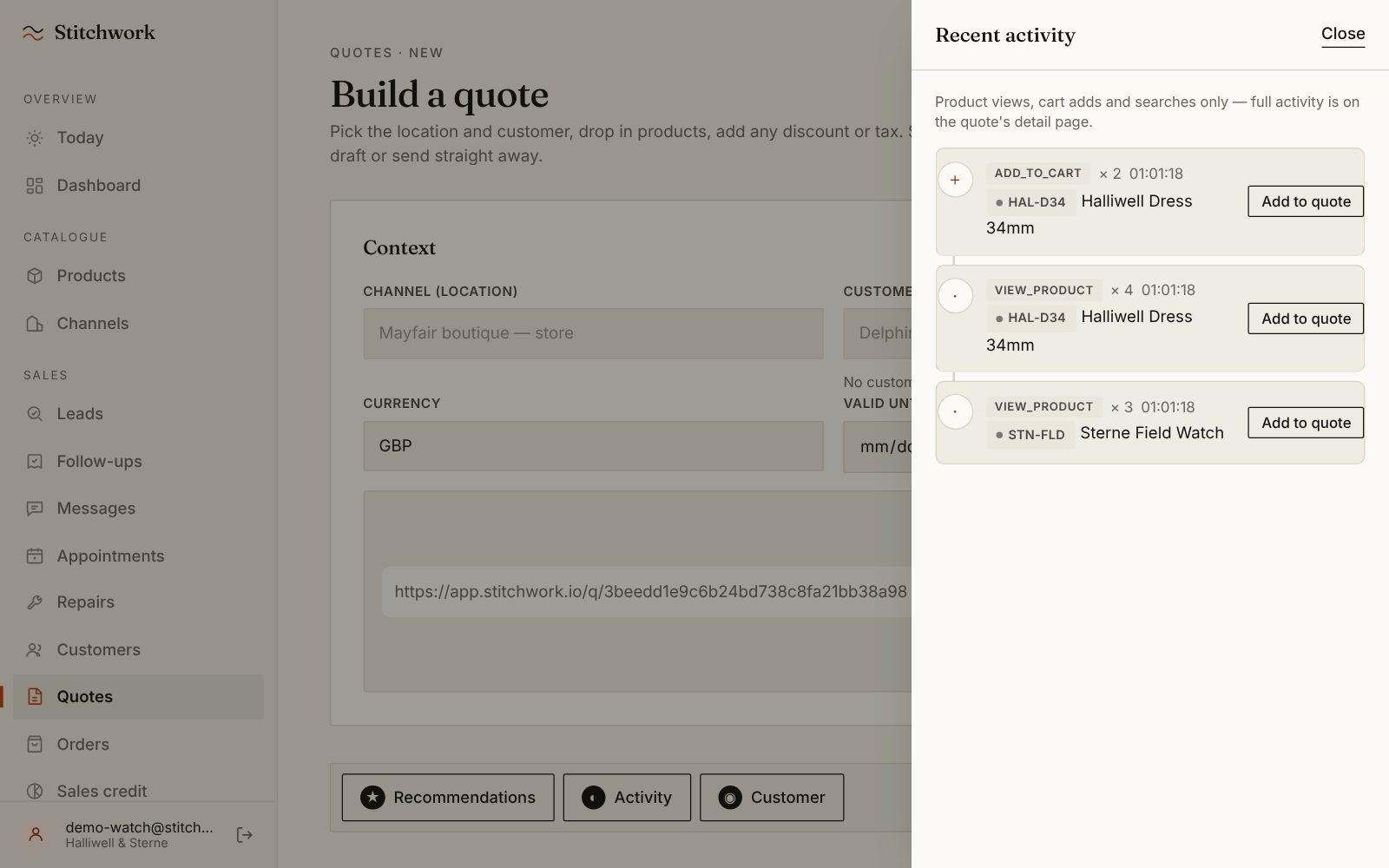
Delphine walks in after weeks on the website.
Imogen starts a quote with her name on it, and Delphine scans the code on her own phone. Her browsing lands on the screen: the Dress 34mm in her basket twice, the Field Watch three times. One tap adds it. The conversation opens where the website left off.
-
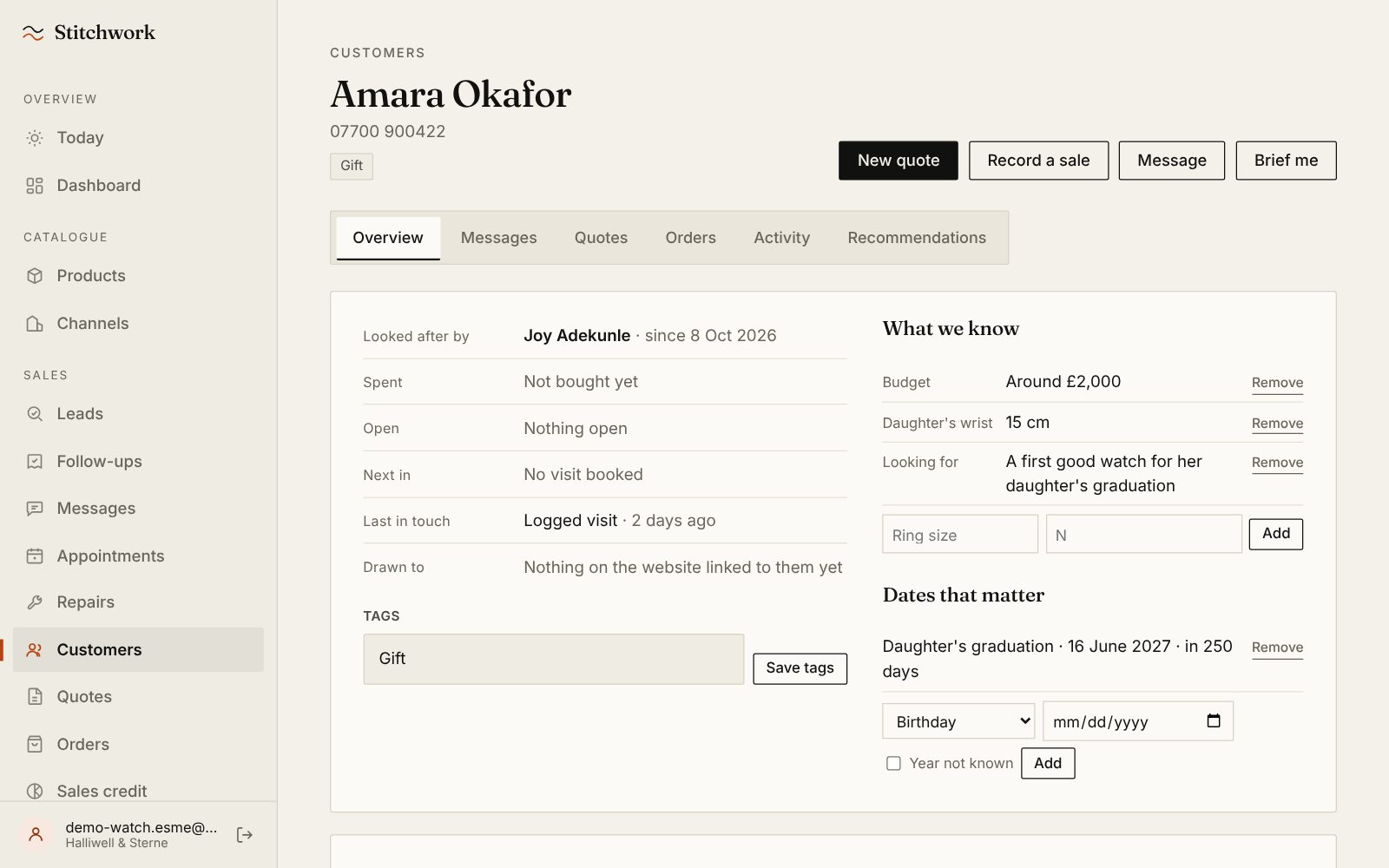
A walk-in who left only a mobile.
In most systems she is nobody: no email, no record. Joy added Amara in ten seconds, with a budget around £2,000, her daughter's 15 cm wrist and the graduation next June. If she gives an email later, it joins this record rather than starting another.
-
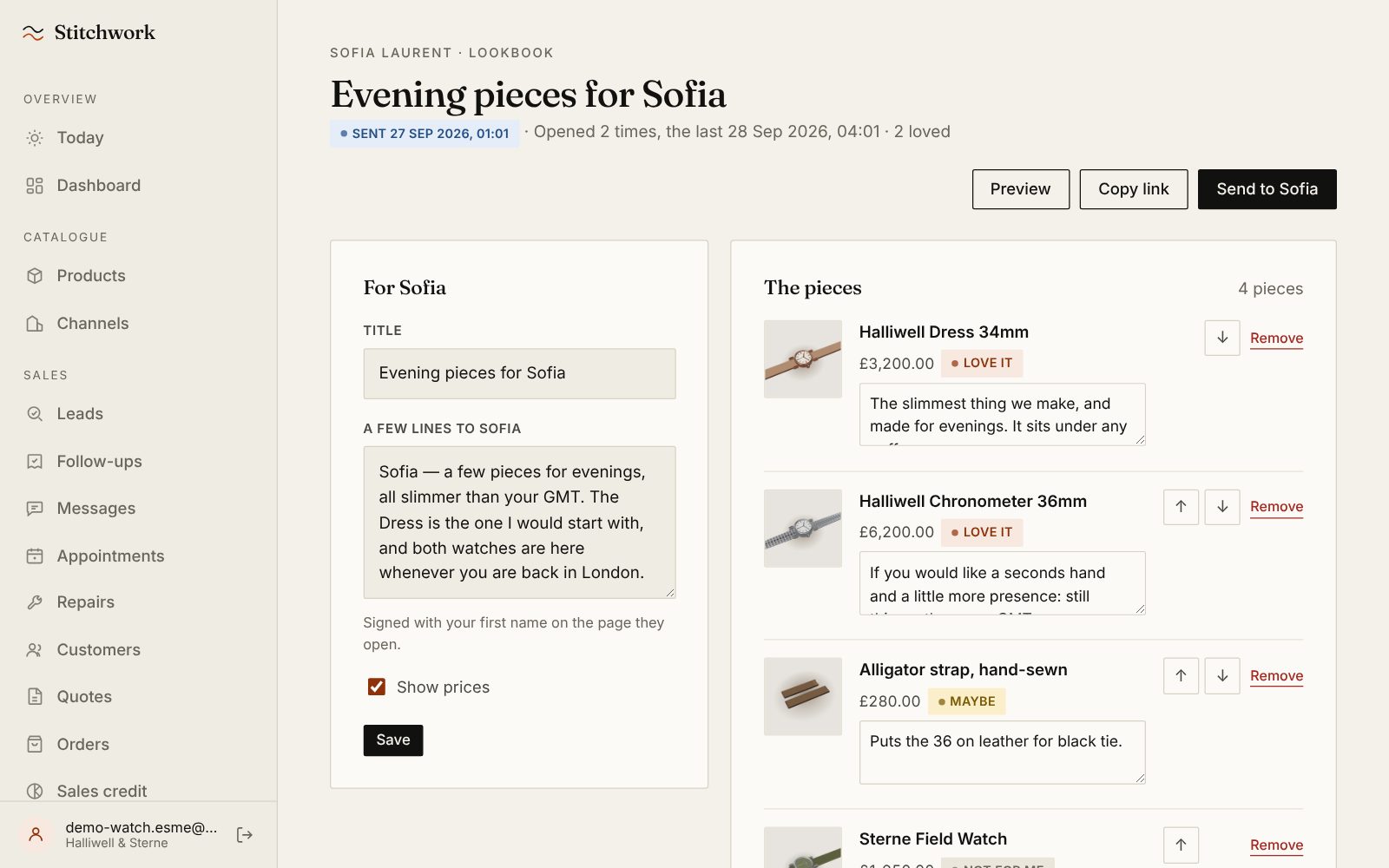
A personal edit for Sofia.
Sofia travels most months and asked what Esme would suggest for evenings. Esme picked four pieces and wrote a line on each. Sofia loved two, the strap is a maybe and the Field Watch is not for her, and Esme was told the moment she answered.
-
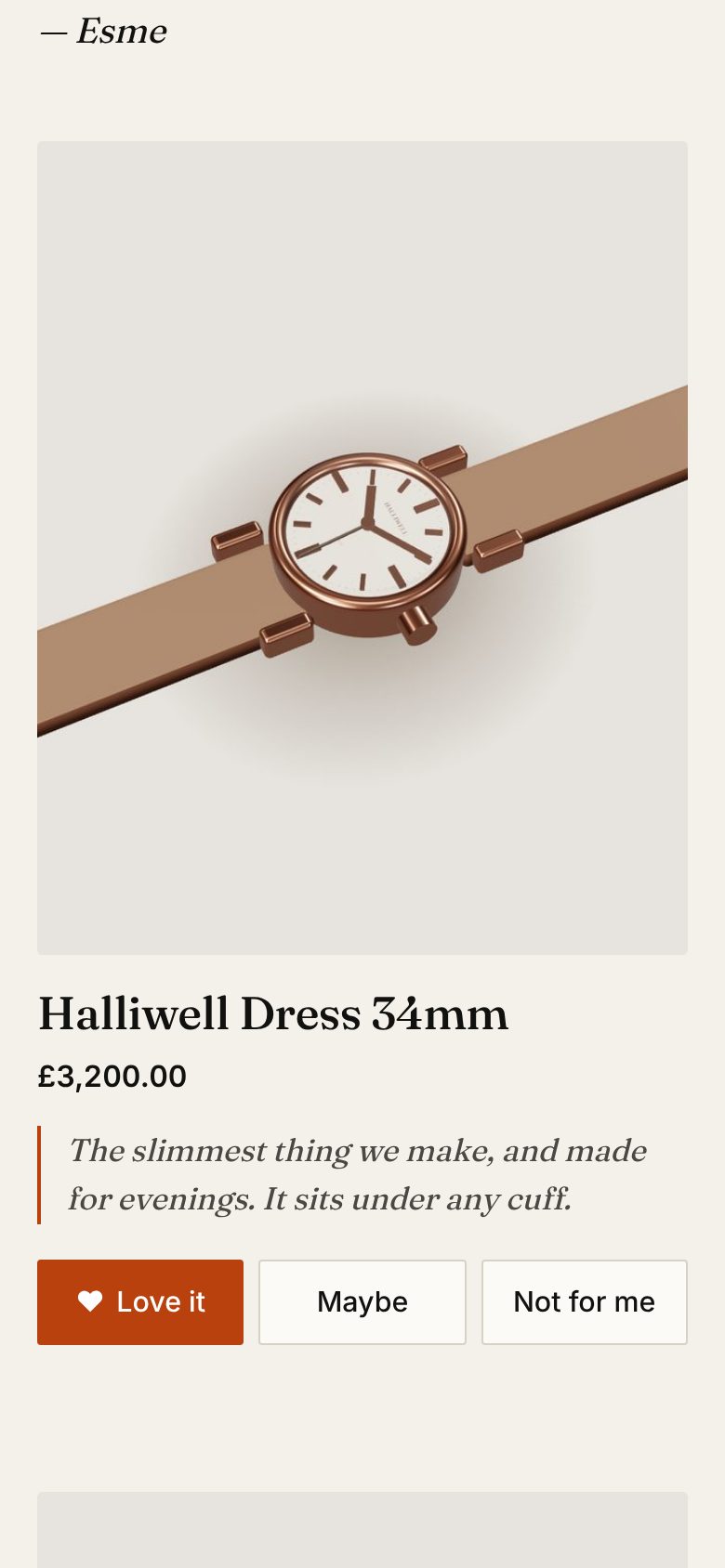
What Sofia sees.
The pieces and Esme's notes, on any phone, with nothing to install. Love it, Maybe or Not for me. Anything she loves goes on her wishlist, so the next conversation starts there.
-
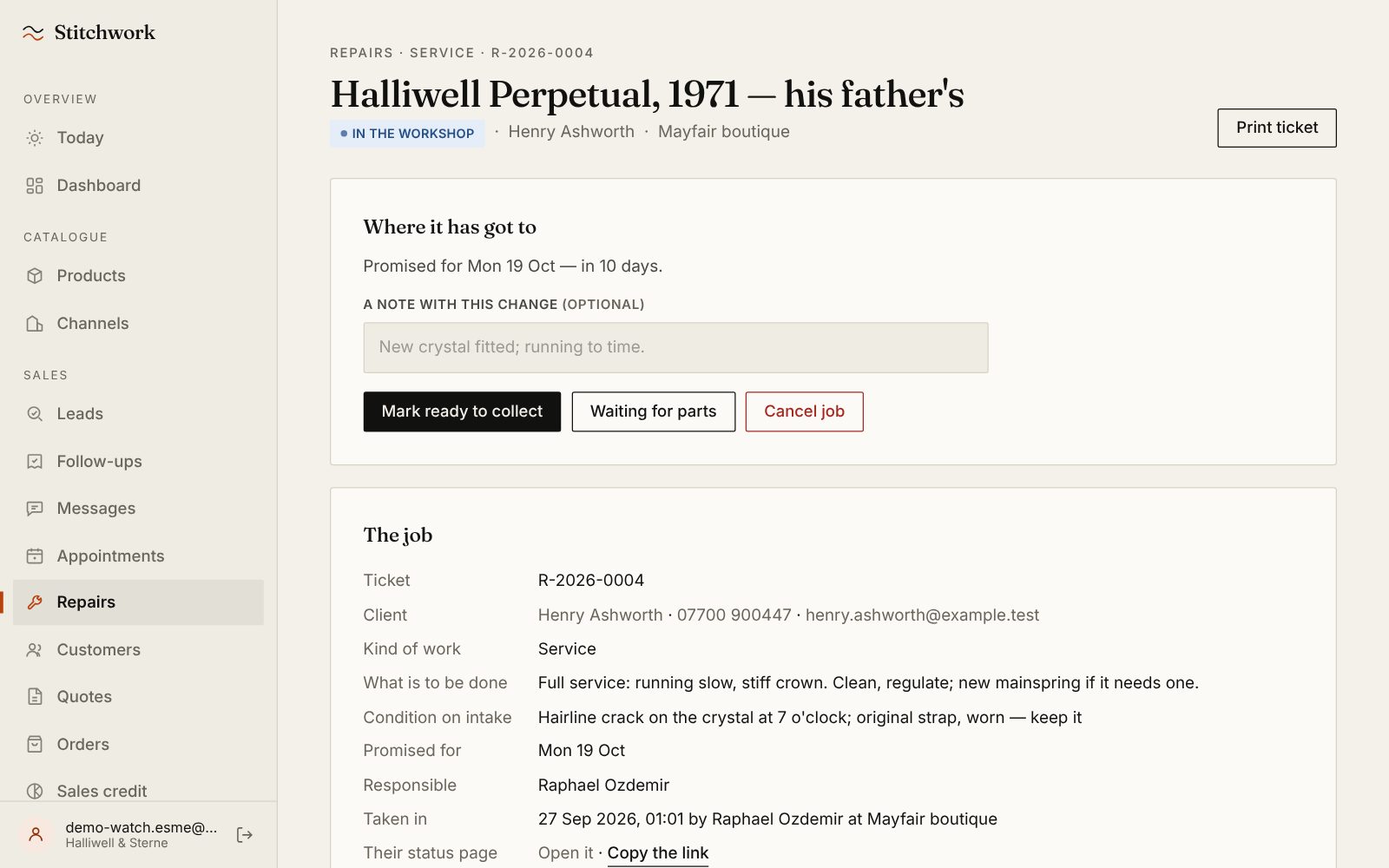
A repair with a promise attached.
Henry's father's 1971 Perpetual, in for a service: the condition on intake, the date promised and a printed ticket with a QR code to his own status page. When it is ready, one tap drafts the message, and if nobody collects it, it goes on somebody's list.
-
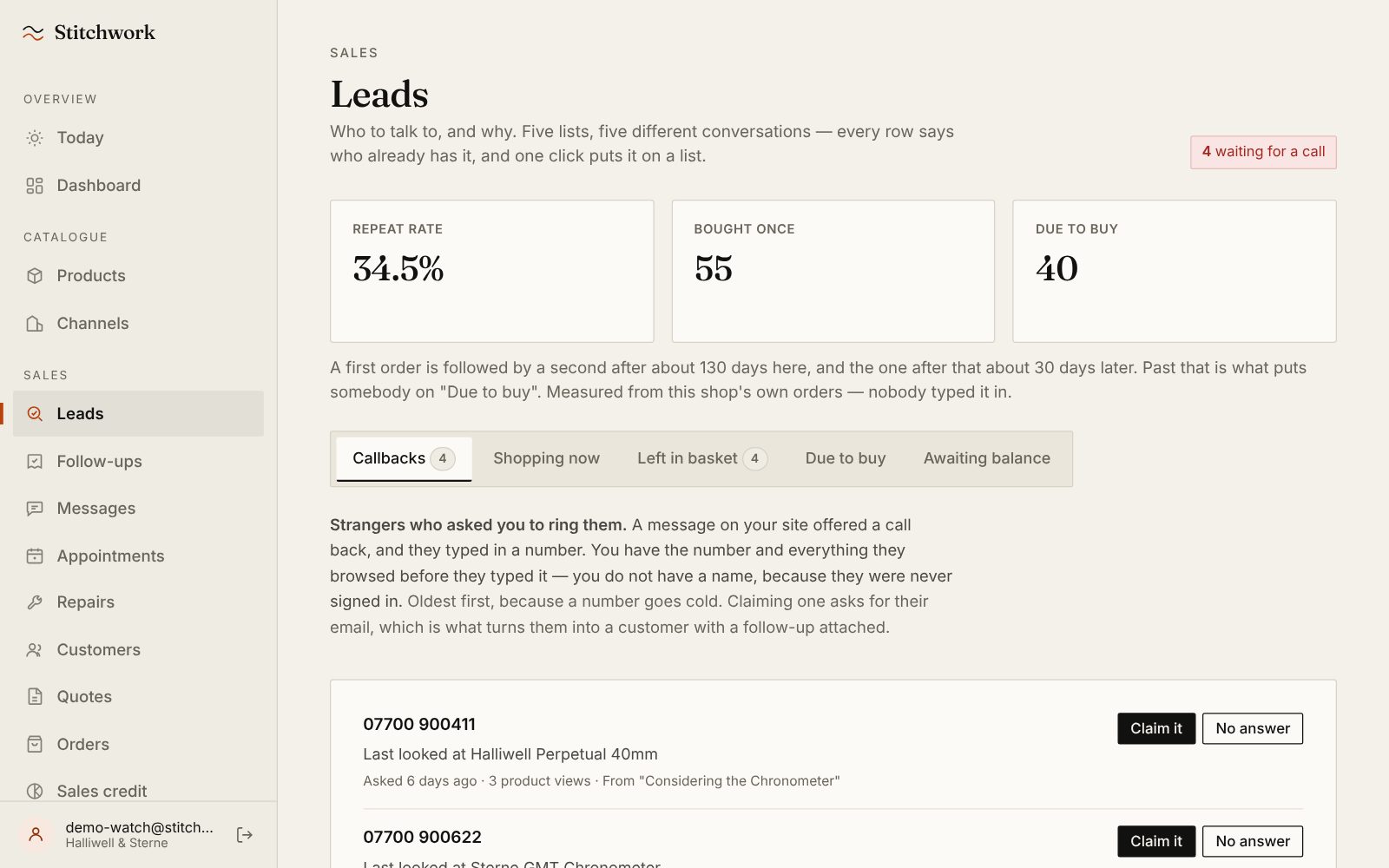
Who is due, by this shop's own rhythm.
Here a first order is followed by a second after about 130 days. Nobody typed 130: Stitchwork measured it from the shop's own orders, and a furniture showroom gets its own number from the same code. Past it, a client is due: a warm moment to be useful.
-
Strangers who asked to be rung.
A message on the website offered a call back, and four people typed in a number. The oldest has waited six days. Claim one, ring them, and a name and an email turn weeks of browsing into a client with a history.
-
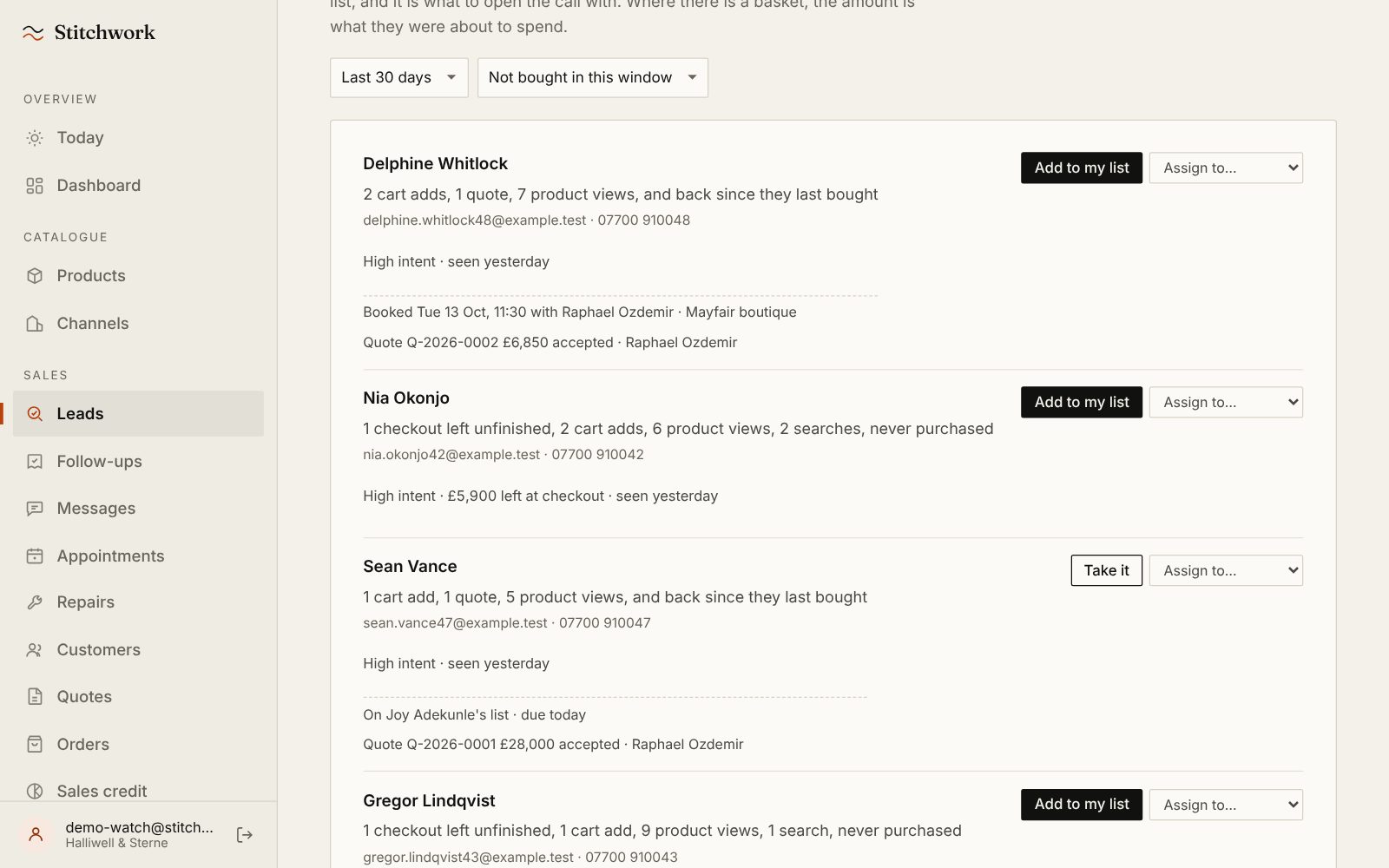
Shopping now, with the reason in words.
Not a score: two cart adds, a quote, seven product views, and back since she last bought. It also says Delphine is already booked in with Raphael, so nobody rings her twice.
-
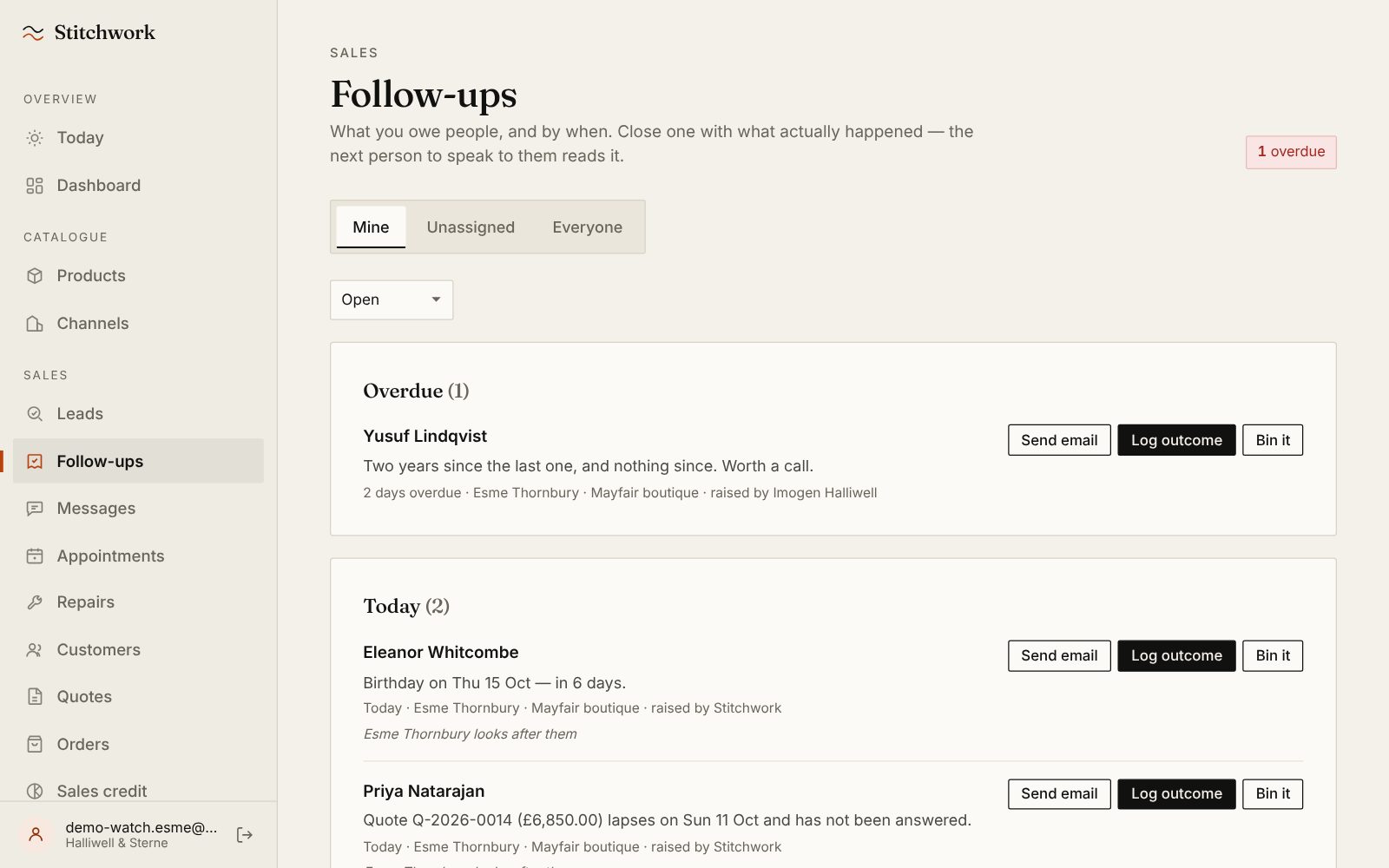
Every “we need to think” gets a name and a day.
One overdue, two for today, each with its reason. Closing one means logging what happened, so the next person knows. And if a client buys before anyone rings, the follow-up takes itself off the list.
-
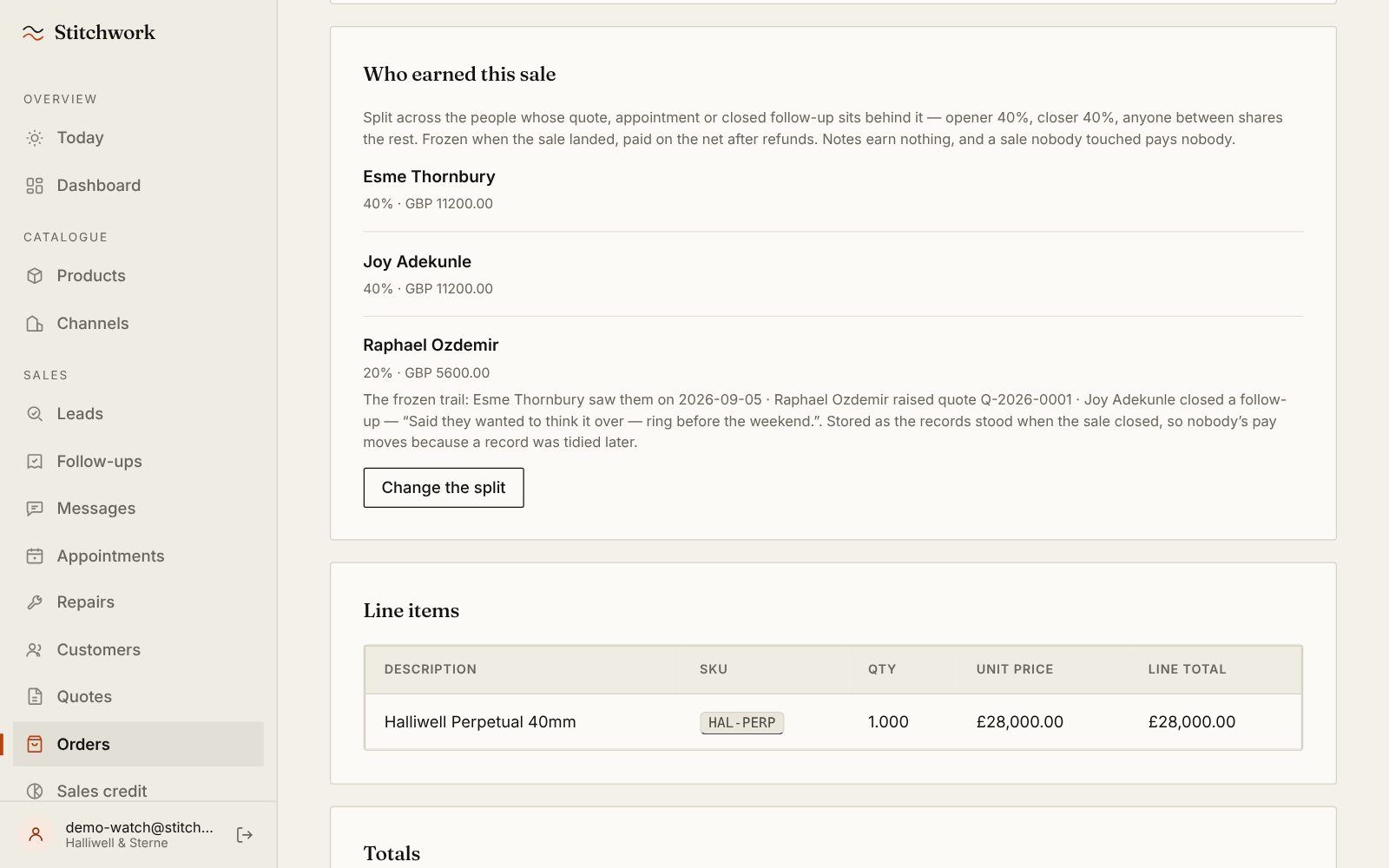
Who earned the sale.
Esme opened this £28,000 sale, Joy closed it and Raphael helped in between: 40%, 40% and 20%, worked out from the visits, quotes and follow-ups behind it and frozen when it landed. An owner can change the split, with a reason that stays on the record.
-
It fits what you already run.
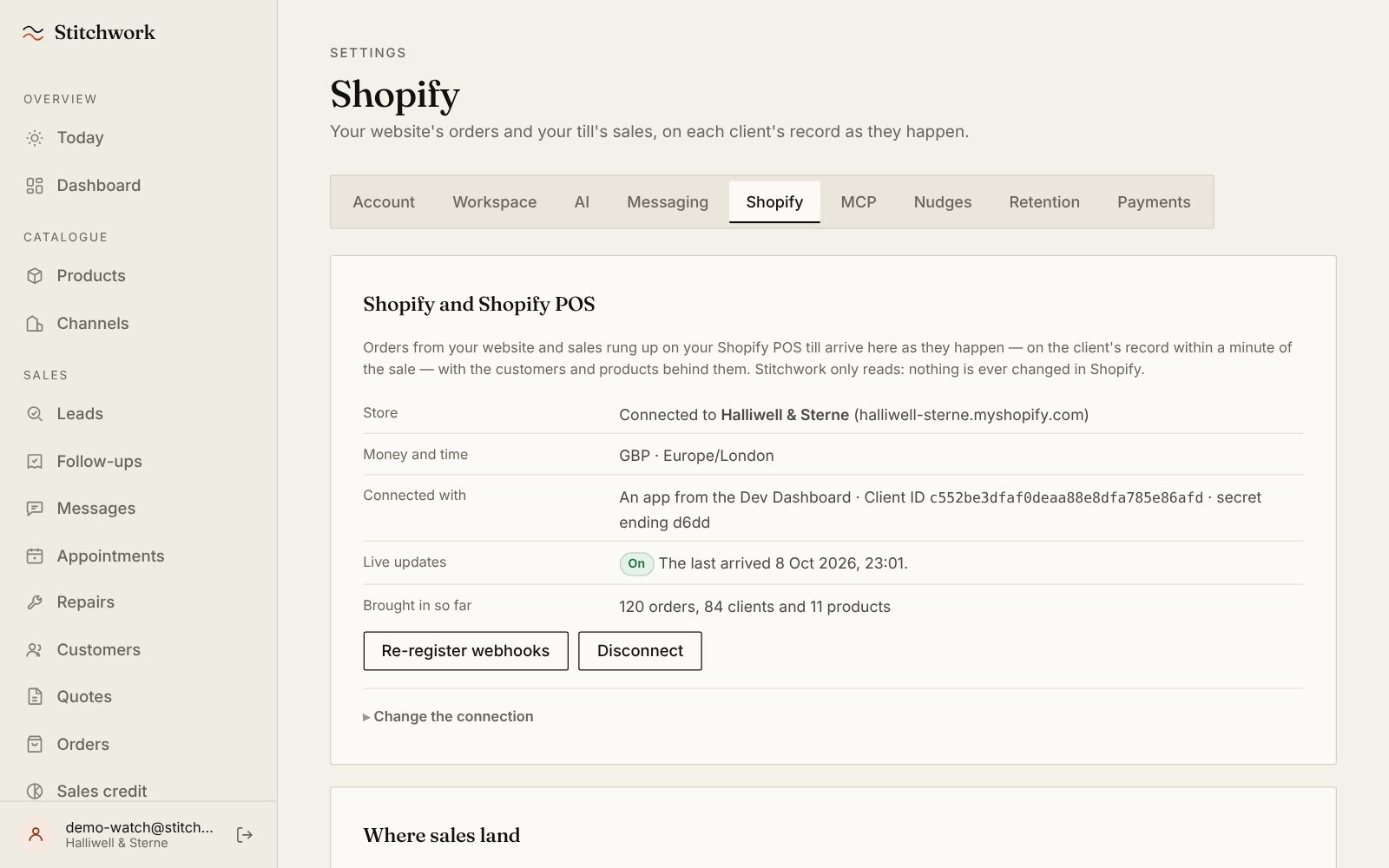
Connect Shopify and every order, online or rung up on Shopify POS, lands on the client's record as it happens, with your history brought in. Stitchwork only reads; it never changes anything in Shopify. Other platforms come in by CSV or the API.


Now picture it with your clients.
In thirty minutes we will load your catalogue and walk one of your own client journeys, from the website to the floor and back. Or switch everything on yourself: seven days free, no card.
Every screen is Stitchwork itself, running on our demo watch shop: nothing is mocked up. In your demo, it is your catalogue and your kind of client.
What people ask next.
See it working on your own catalogue.
Thirty minutes with the people who built it. We'll load your catalogue, walk one real client journey across your website and your floor, and show you where sales are slipping between them. Leave your details and a person will be in touch, usually the same day.